Barcodes as widgets
BarcodeView draws a barcode as vectors, lined up with the screen's pixels: sharp at any size. QR is the default format; a BarcodeWriter picks another.
const BarcodeView('https://pub.dev', width: 200)

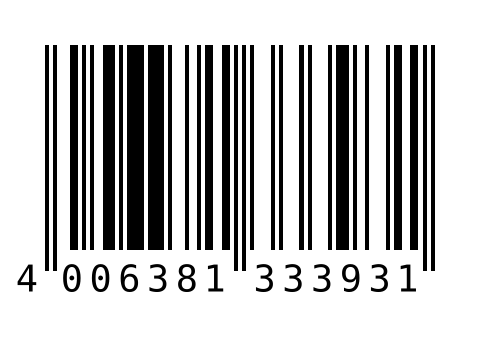
const BarcodeView(
  '4006381333931',
  writer: BarcodeWriter(BarcodeFormat.ean13), // digits under it by default
  width: 240,
)
BarcodeFormat.ean13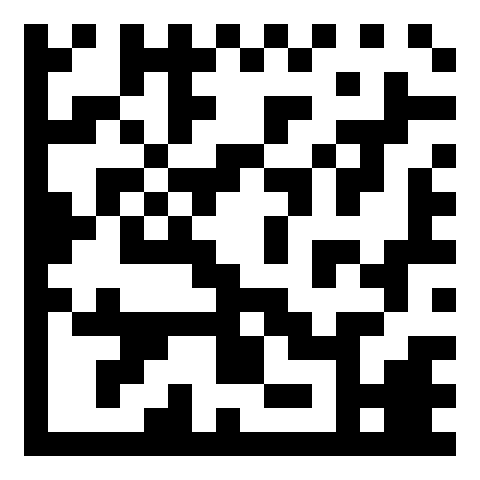
dataMatrix, gs1: true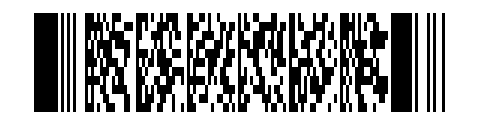
BarcodeFormat.pdf417
The code is encoded in the background and cached. When the data changes, the previous code stays on screen until the new one is ready, so it does not flash.
The writer
BarcodeWriter | Default | What it does |
|---|---|---|
format | The symbology, one of BarcodeFormat.writable | |
errorCorrection | medium for QR, the format's own for others | ErrorCorrection.low, medium, quartile or high, for formats that have it |
version | the smallest that fits | The symbol size, such as 1–40 for QR or 1–48 for Data Matrix |
gs1 | false | Encode GS1 data, written with the Application Identifiers in parentheses: (01)09501101530003(17)250101 |
showText | the format's custom | The digits under a linear barcode: on for EAN, UPC and ISBN |
zxingOptions | none | zxing-cpp's own options, such as 'eci=UTF-8'; a key here wins over the typed field it sets |
const BarcodeView(
  '(01)09501101530003(17)270101(10)AB12',
  writer: BarcodeWriter(BarcodeFormat.dataMatrix, gs1: true),
  width: 160,
)
The Create tab of the demo builds a code from what it holds, its format and its style, reads the preview back to check that it scans, and exports it as PNG or SVG:
Errors
Data a format cannot hold, such as letters in an EAN-13 or a wrong check digit, throws a BarcodeWriteException that says why: Invalid check digit '4', expecting '3'. In a BarcodeView it shows errorBuilder, or an empty box with the error reported to FlutterError:
BarcodeView(
  '12345',
  writer: const BarcodeWriter(BarcodeFormat.ean13),
  width: 240,
  errorBuilder: (context, error) => Text(error.message),
)
format.input describes what each format holds, with an example, for a form: see Formats.
Binary data and read symbols
BarcodeView.bytes encodes bytes, for formats with a byte mode (QR, Data Matrix, Aztec, PDF417). BarcodeView.symbol draws a symbol as it is, such as the grid a scanned code was read from: nothing is encoded, so the code shown is exactly the one read.
Widget binary(Uint8List data) => BarcodeView.bytes(data, width: 200);

Widget asRead(Barcode barcode) {
  final BarcodeSymbol? symbol = barcode.symbol;
  return symbol == null ? const SizedBox() : BarcodeView.symbol(symbol, width: 56);
}
Accessibility
A BarcodeView is announced by its format's name, its title and caption, and the digits under a linear barcode: never by the encoded data, which may be a password or bank details. semanticLabel replaces the label.