Quick start
flutter_zxing scans and creates QR codes and barcodes in Flutter apps, on Android, iOS, macOS, Linux, Windows and the web. The decoder is zxing-cpp, compiled into your app: no Google services, no network.
Add the package
flutter pub add flutter_zxing:^4.0.0-rc.4The package compiles zxing-cpp with a build hook, so there is no CMake, CocoaPods or Gradle setup. The first build takes a minute longer; later builds use the cache. It needs Flutter 3.41 or newer.
The camera needs a permission text on iOS and macOS, and the web needs HTTPS: see Installation.
Scan a code
scanBarcode opens a scanner screen, waits for a code and closes with it. It returns null when the user closes the scanner.
import 'package:flutter_zxing/scanner.dart';

Future<void> scan(BuildContext context) async {
  final Barcode? barcode = await scanBarcode(context);
  if (barcode != null) {
    print('${barcode.format.displayName}: ${barcode.text}');
  }
}
package:flutter_zxing/scanner.dart is the whole API. flutter_zxing.dart also has the deprecated 3.x API, for apps that are upgrading.
Put a scanner in a page
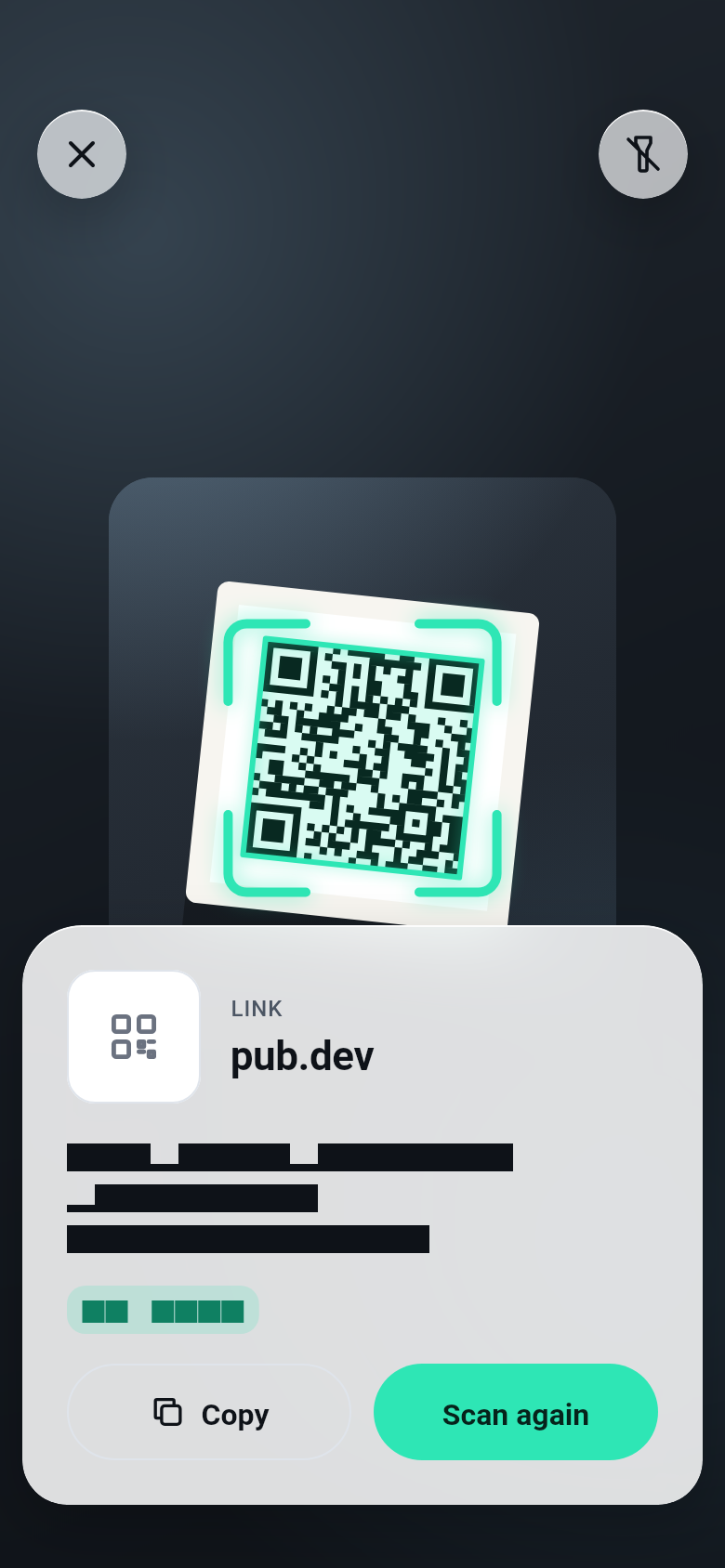
BarcodeScanner is a widget: the camera, its buttons, a hint, brackets that lock onto the code and a sheet with what the code holds. A template picks the screen for the job.
BarcodeScanner(
  template: const ScannerTemplate.minimal(),
  onDetect: (capture) => print(capture.barcode.text),
)
Create a code
BarcodeView draws a barcode as vectors, sharp at any size. QR is the default format.
const BarcodeView('https://pub.dev/packages/flutter_zxing', width: 200)Read an image
BarcodeReader reads image files and raw pixels, without a camera.
Future<void> readFile(File file) async {
  const reader = BarcodeReader();
  final Barcode? barcode = await reader.read(await file.readAsBytes());
  print(barcode?.text ?? 'No code in the image');
}
Next
- A ready-made screen: 16 templates, and how they handle the codes they find.
- Your own interface: the camera alone, under your widgets.
- What is in a code: Wi-Fi, contacts, payments and more, as Dart types.
- Styles and logos: colours, shapes, a logo, PNG and SVG.